How to turn on ‘Microsoft Teams’ in Office365
Log into your Office365 Admin account via http://portal.office.com.
In the Top Left App Menu, click Admin to open the Office365 Admin Center

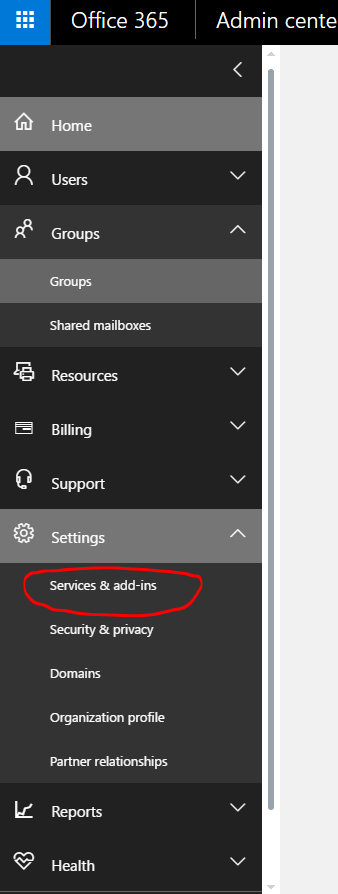
Expand Settings and select Services & add-ins (see below)
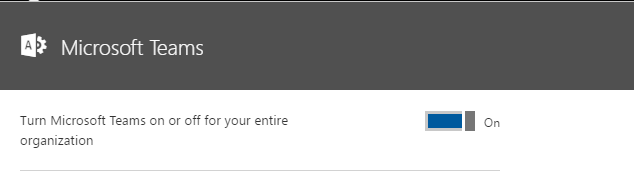
From there, scroll down until you see the icon for Microsoft Teams

From there, move the switch to the on position.
Done